After completing this unit, you will be able to:
1. What is Cost and Markup Pricing in Salesforce CPQ?
2. How to setup Cost and Markup Pricing?
What is Cost and Markup Pricing in Salesforce CPQ?
Cost pricing is a method of setting product prices based on their cost plus a desired markup. This means that instead of using the traditional list price and discount approach, you calculate the final price by adding a markup percentage or amount to the product's cost.
How to setup Cost and Markup Pricing?
1. Click on App Launcher → Product → New and fill these fields:
| Field | Value |
|---|---|
| Product Name | A4 Paper |
| Product Code | A4-PAPER |
| Active | True |
| Pricing Method | Cost |
and click Save.
2. Click on the Related tab, go to Price Book, and click on Add Standard Price.
3. In List Price, enter 5 and click Save.
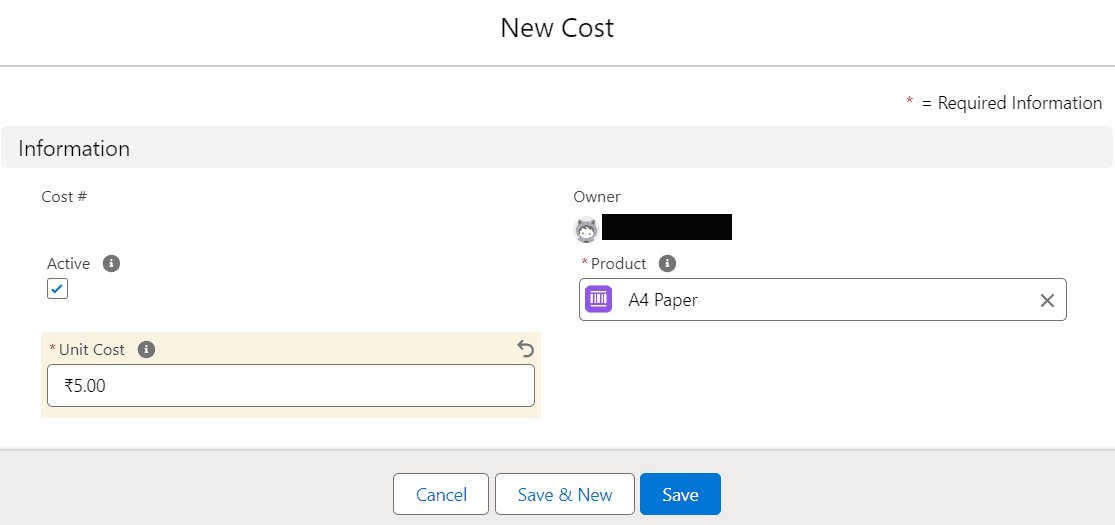
4. Now, in the Related tab, go to Costs and click on New.
5. In Unit Cost, enter 5 and click Save.