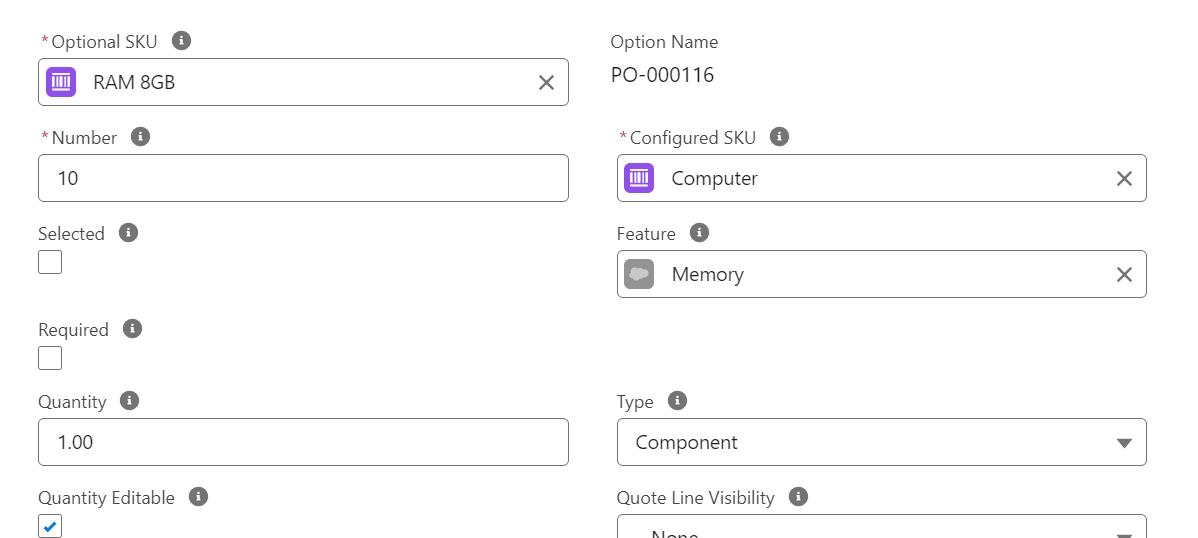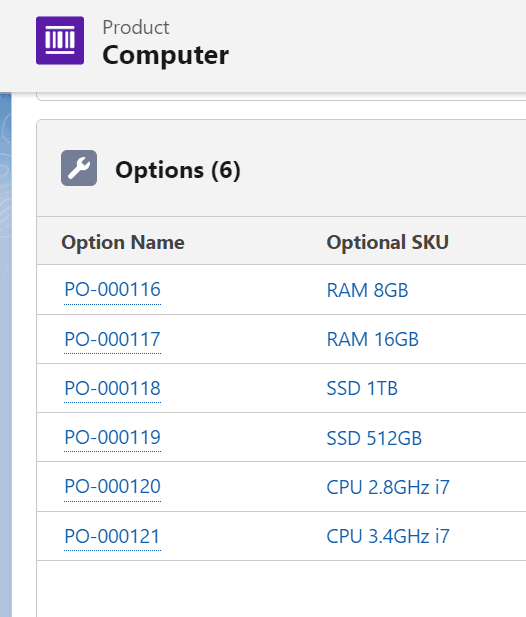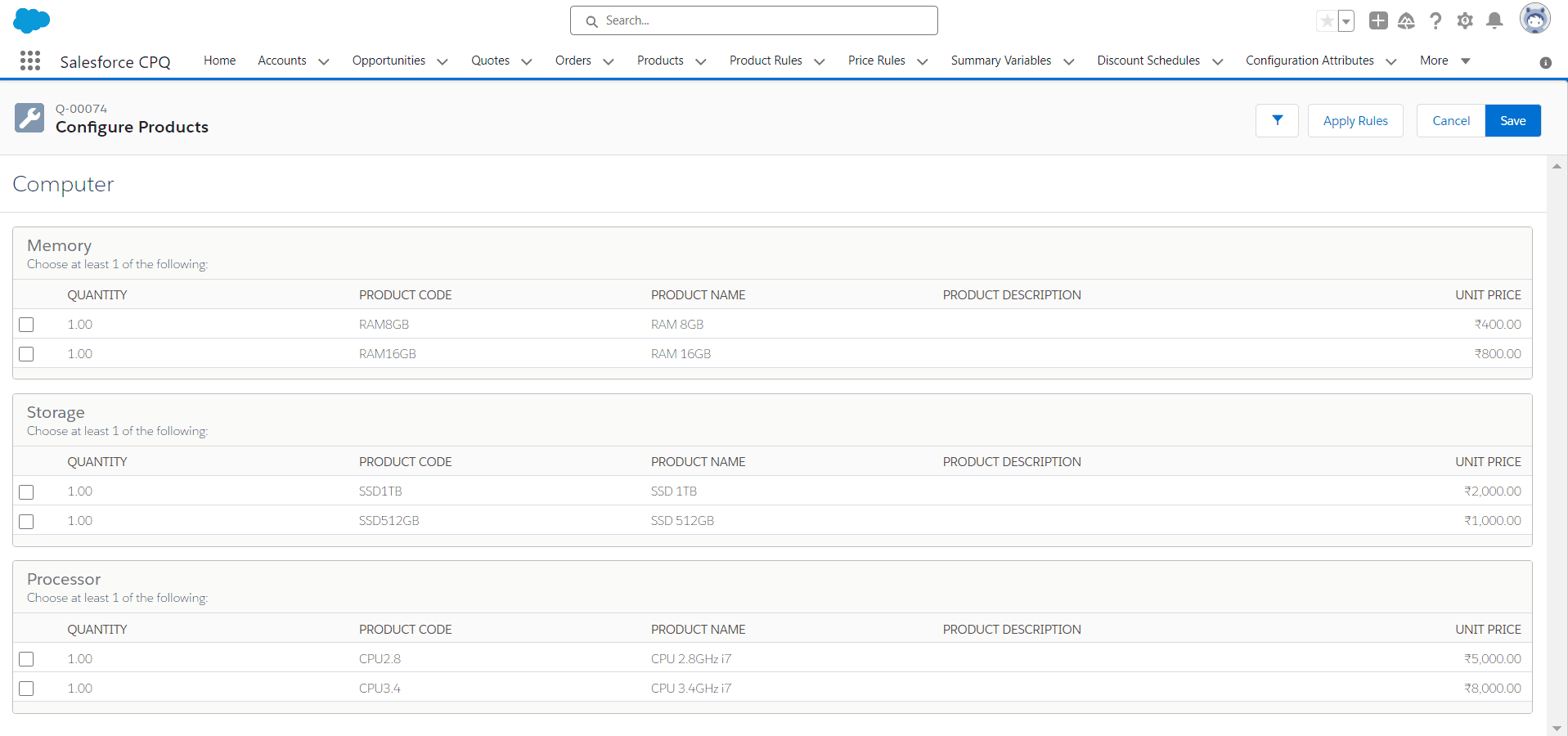
After completing this unit, you will be able to:
1. What is a Bundle Product? 2. How to create a Bundle Product?
What is a bundle product?
A bundle product is a grouping of multiple individual products or services that are sold together as a single package.
How to create a bundle product?
1. For creating a bundle product, search product in the App Launcher and select Products.
2. Click on the New button and fill these fields:
| Field | Value |
|---|---|
| Product Name | Computer |
| Product Code | COMPUTER |
| Active | True |
| Configuration Type | Allowed |
| Configuration Event | Always |
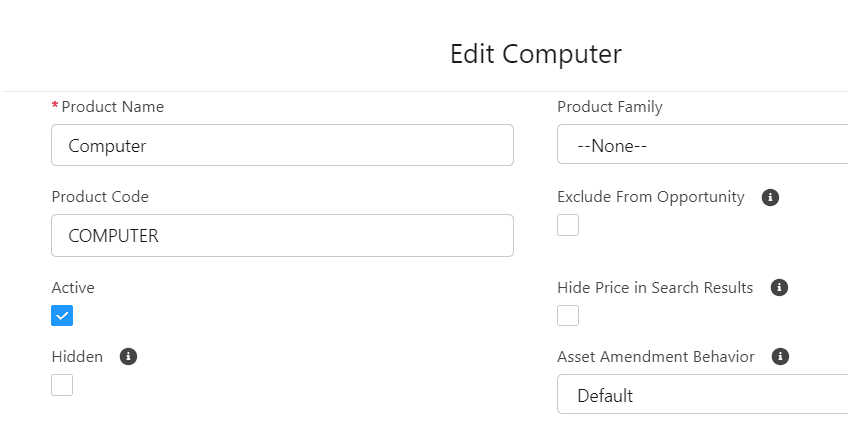
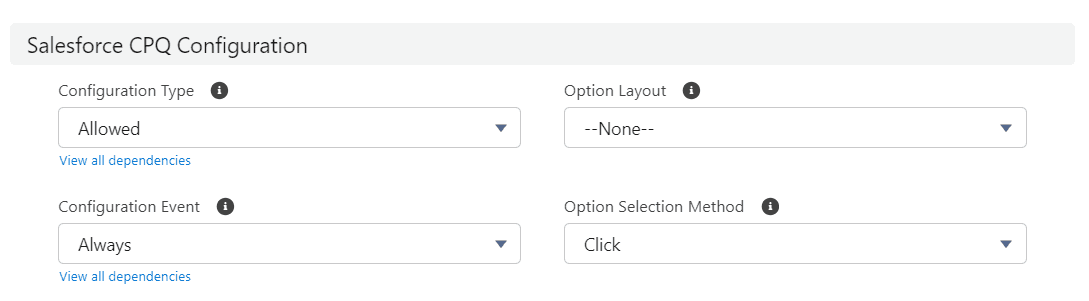
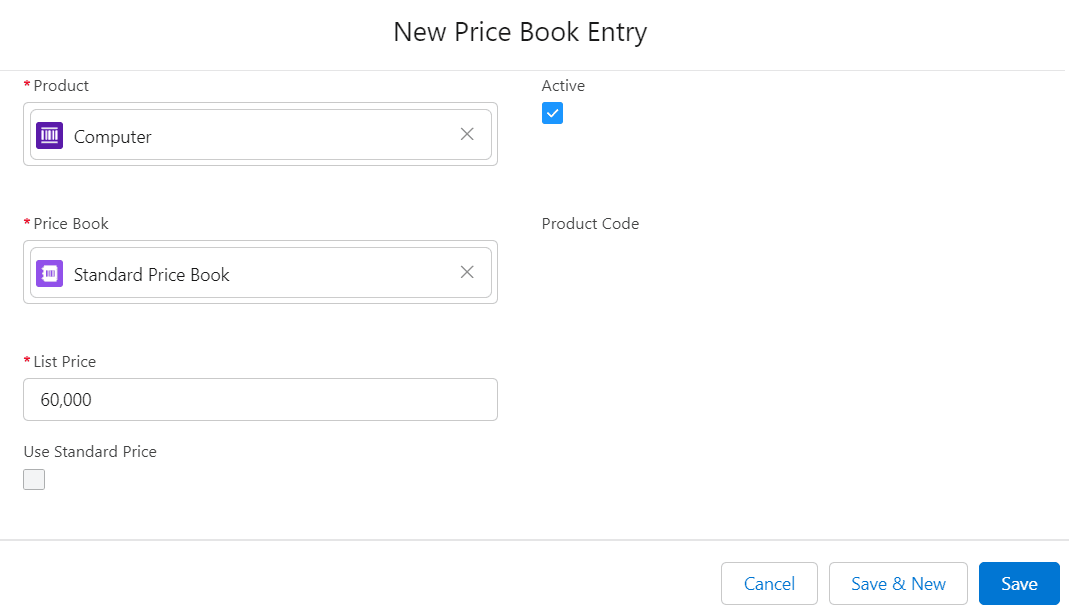
3. Now click on the Related tab, then go to Price Books, click on Add Standard Price, fill out all the fields like this, and click Save.
4. Click on the Product tab and create these products in the below table, but in these products, Configuration Type and Configuration Event are None.
| # | Product Name | Product Code | Active | Standard Price Book |
|---|---|---|---|---|
| 1 | RAM 8GB | RAM8GB | True | 400 |
| 2 | RAM 16GB | RAM16GB | True | 800 |
| 3 | SSD 1TB | SSD1TB | True | 2000 |
| 4 | SSD 512GB | SSD512GB | True | 1000 |
| 5 | CPU 2.8GHz i7 | CPU2.8 | True | 5000 |
| 6 | CPU 3.4GHz i7 | CPU3.4 | True | 8000 |
After creating all products, make sure that the price book for all products is active.
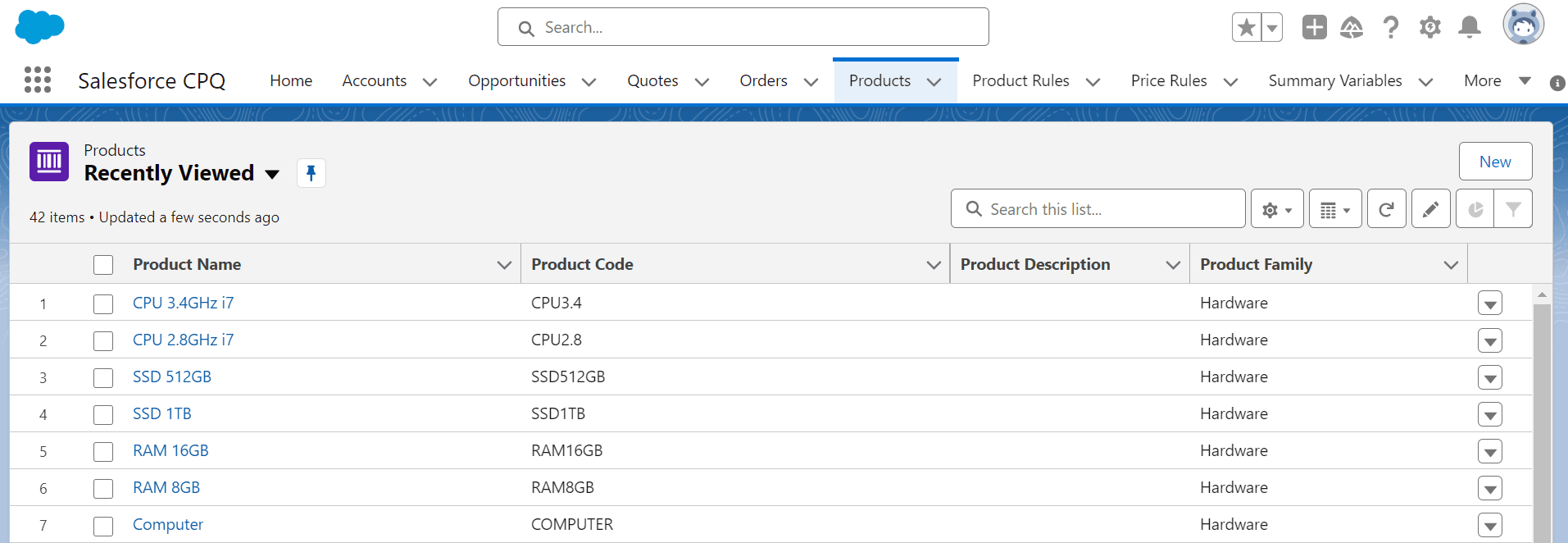
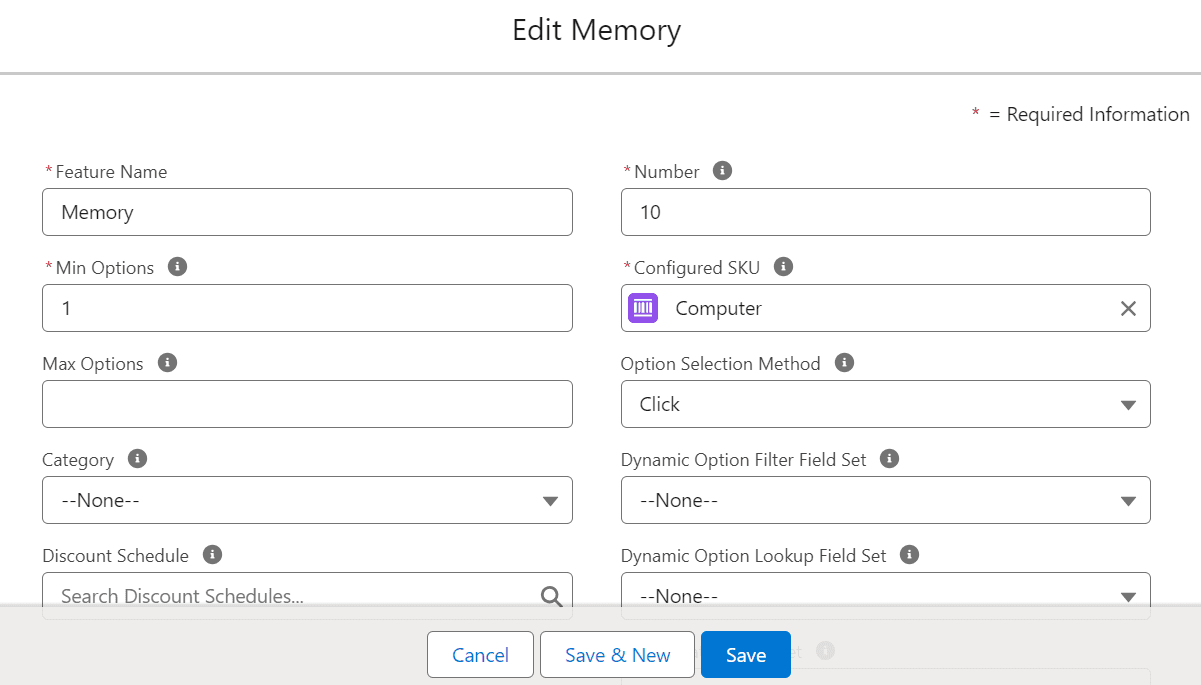
5. Now click on the Computer product and go to the Related tab, find Features, and click New.
6. Fill these fields:
| Field | Value |
|---|---|
| Feature Name | Memory |
| Number | 10 |
| Option Selection Method | Click |