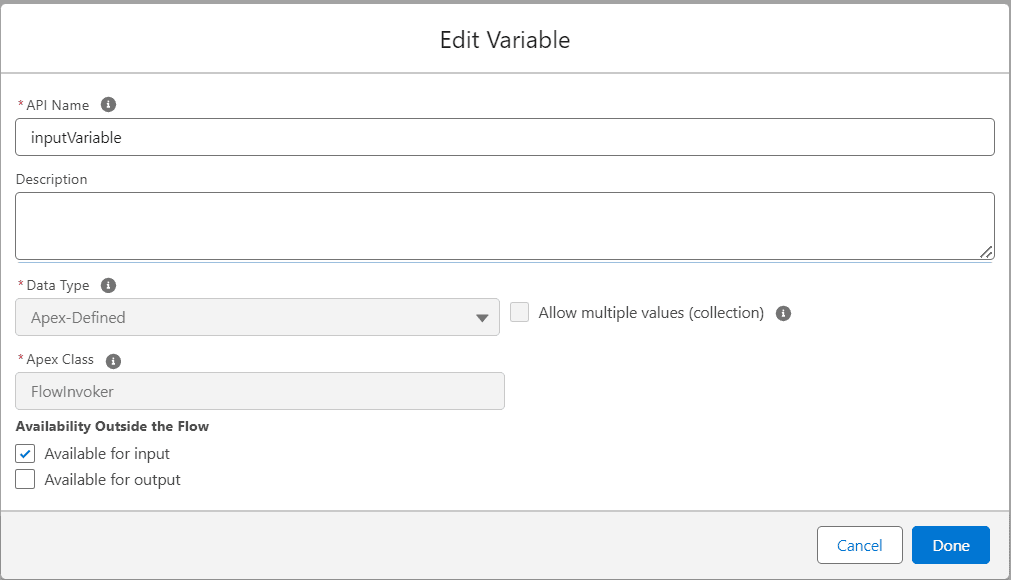
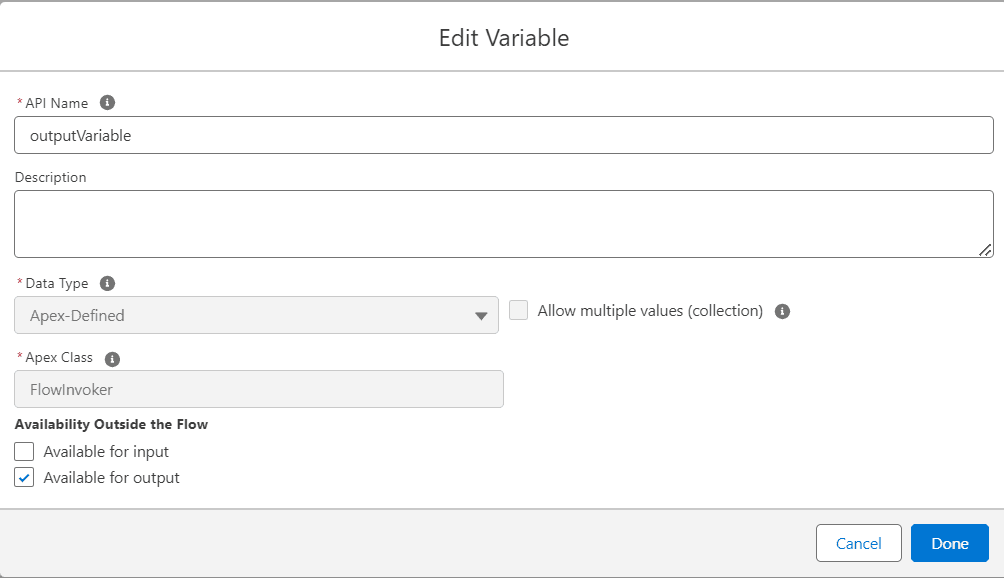
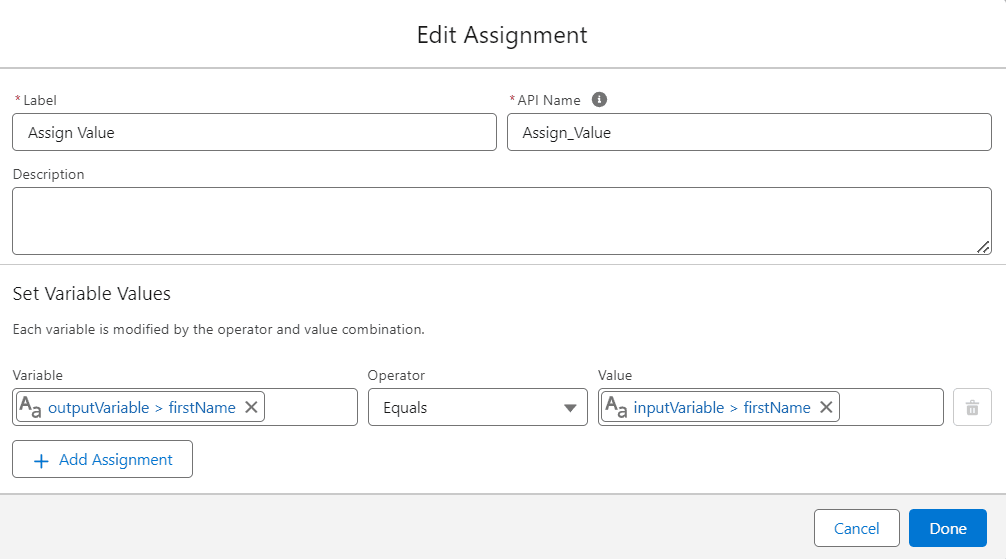
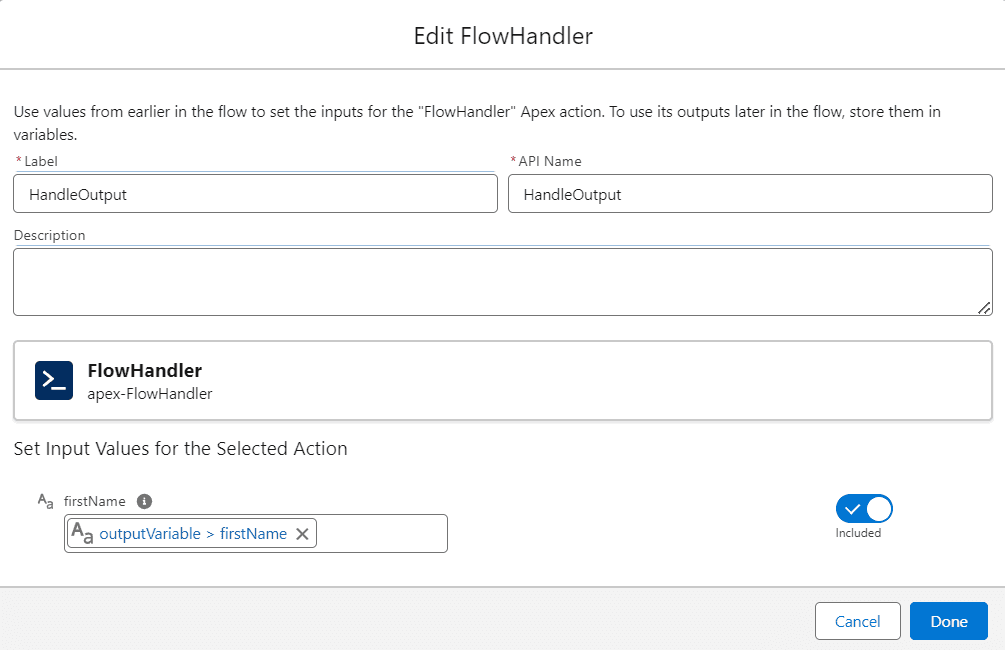
In Salesforce development, integrating Apex with Flows allows for powerful automation and customization. One common scenario is passing complex data structures, such as wrapper classes, from Apex controllers to Flows. Let's explore how to achieve this seamlessly.
After completing this blog, you’ll be able to:
1. Create an Apex Class
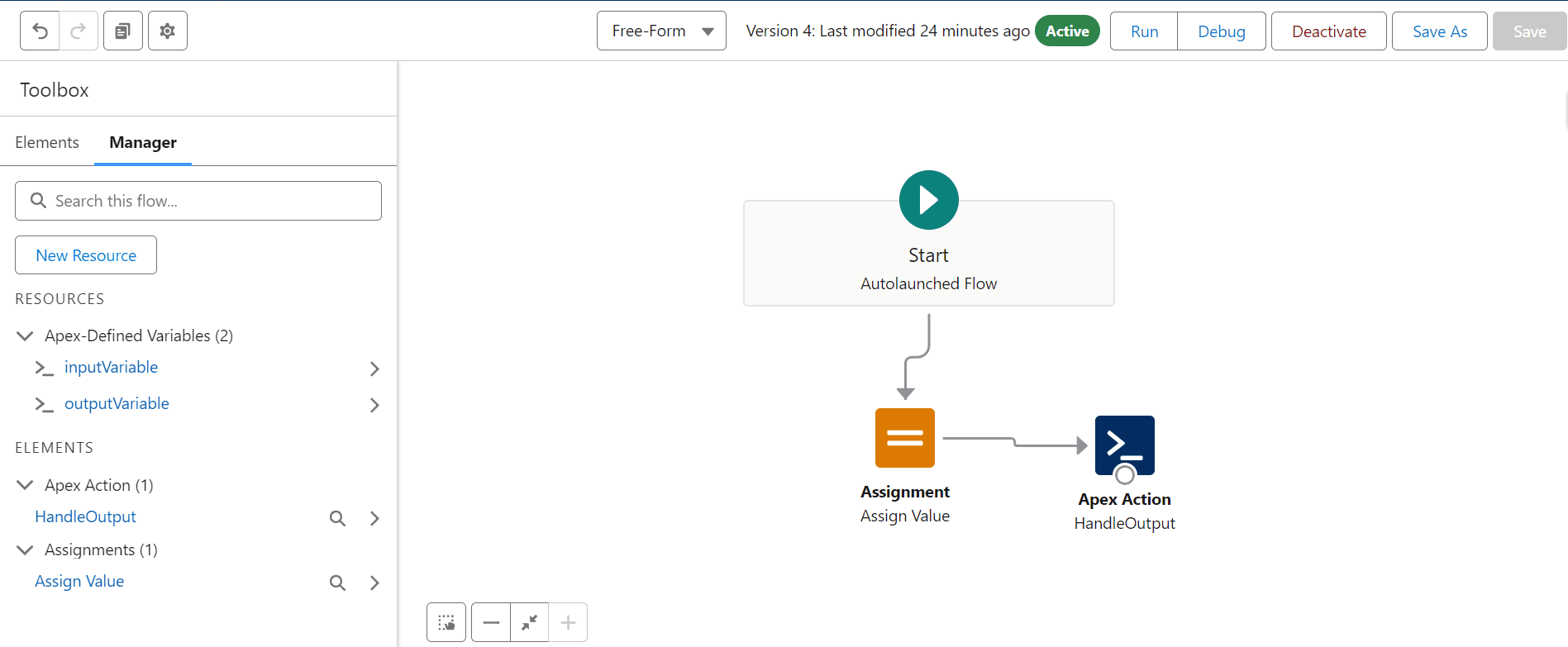
2. Create a Flow
3. Create an Apex Class for Handling Flow Output
4. Call the Flow from Anonymous Apex
5. Step 1: Creating the Apex Class
6. First, let's create a simple wrapper class in Apex that we'll use to pass data to our Flow.
Step 1: Creating the Apex Class
First, let's create a simple wrapper class in Apex that we'll use to pass data to our Flow.
Note: Ensure that the Flow and Apex classes are saved and activated properly before testing.
Now, let's invoke the Flow we created from an Anonymous Apex script. This script will instantiate our FlowInvoker class, populate its firstName property, and pass it as an input to the Flow.
This script will print the outputVariable from the Flow, ensuring that the data has been passed and processed correctly.
Conclusion
By following these steps, you can pass complex data structures from Apex to Flows in Salesforce, enhancing your automation capabilities and making your processes more dynamic and robust.