Relationship Management
Relationship groups let you group related accounts together so you can manage them easier. Accounts added to a Relationship Group become members of that group. A relationship group could be a medical practice or a law firm, while the individual doctors or lawyers would be the group members. Relationship groups are custom object records used to store collections of accounts.
You can use relationship groups to manage the following:
- A household of people who reside at the same address
- An extended family consisting of multiple generations of relatives
- A professional group such as a medical practice or a law firm
- The trustees and beneficiaries of a trust
A client’s data can also be summarized with the data of others by making a client part of a group. When a group is a client’s Primary group, all the client’s financial information is usually rolled up into that group. For example, the Adams Household is Rachel Adams’s primary group and it is also her husband Nigel’s primary group. Because they are in the same group, Nigel and Rachel’s information is rolled up together. Having that data in one place makes it easy to understand Rachel’s financial information in context with the rest of her household.
Households
A household represents a group of clients and businesses whose financials are summarized at the household level.
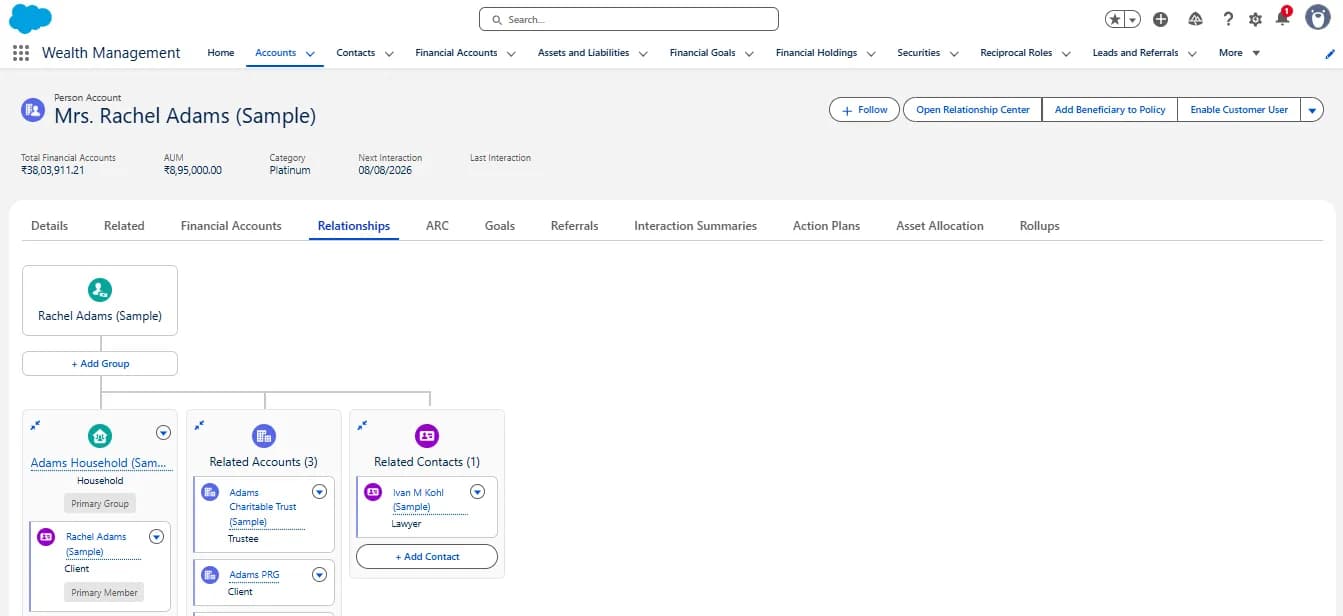
Work with Household and the Group Builder
Let’s take a walk through the Household and the Group Builder.
- Navigate to the Wealth Management App via the App Launcher ()
- Click on the Account Tab and select the Person Account Rachel Adams (Sample).
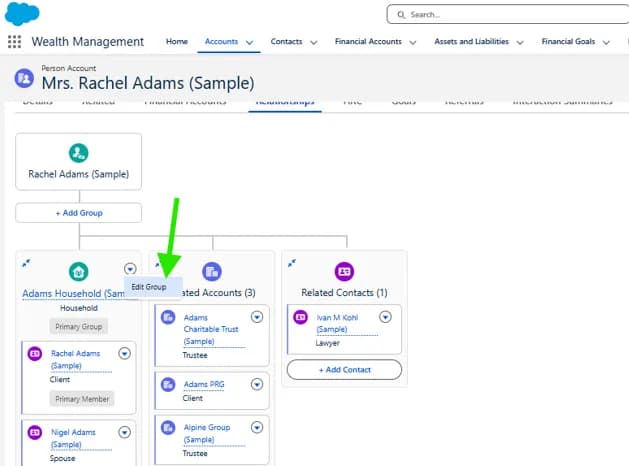
- Click on the Relationships Tab
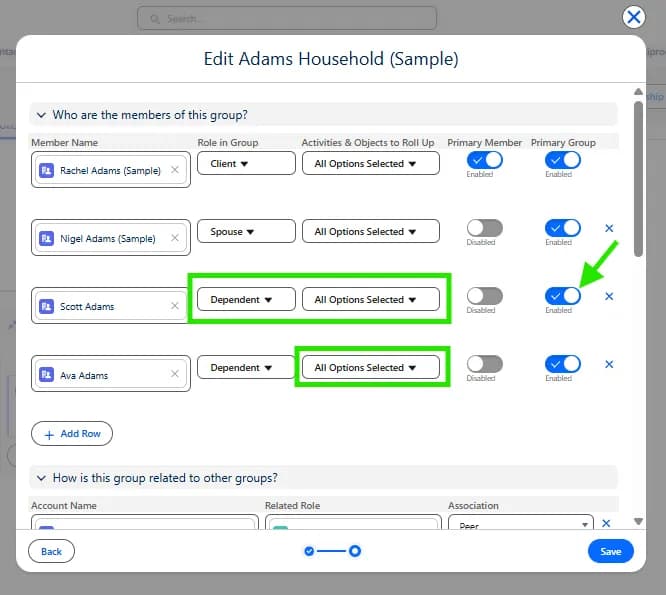
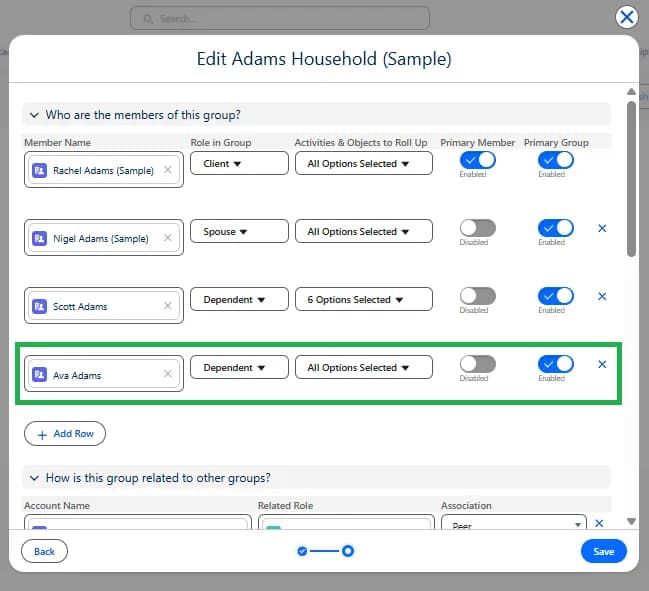
- Under Adams Household click Add Relationship, click + Add Row.
- Select the and add Ava Adams as a new household member.
- Change Ava’s Role in Group to Dependent and click Save.
- To make this the Primary Group for Ava Adams in this Org, click the drop-down next to Ava Adams and click Edit Relationship.
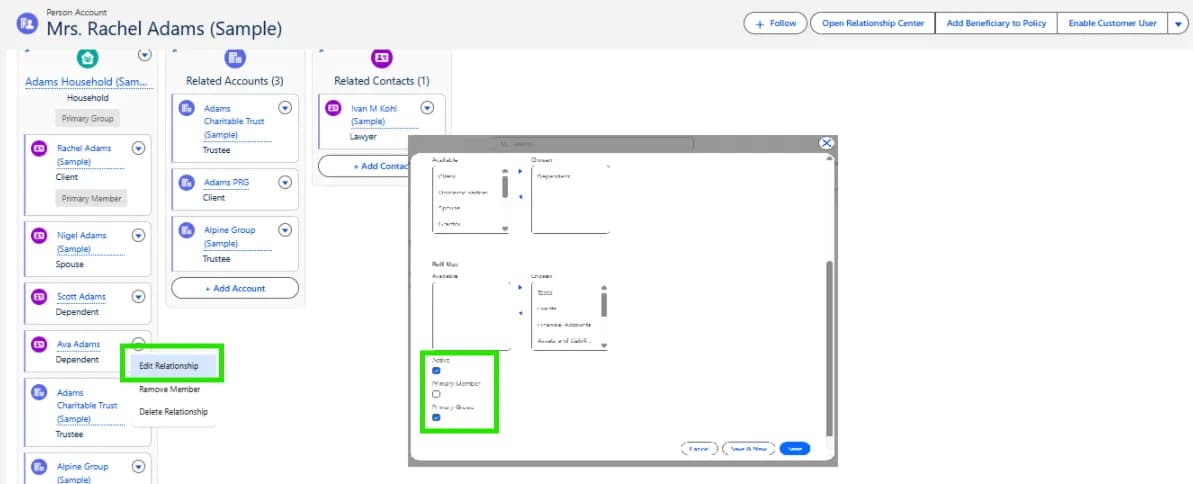
- Confirm that the Active box is checked and select Primary Group.
- Click Save.
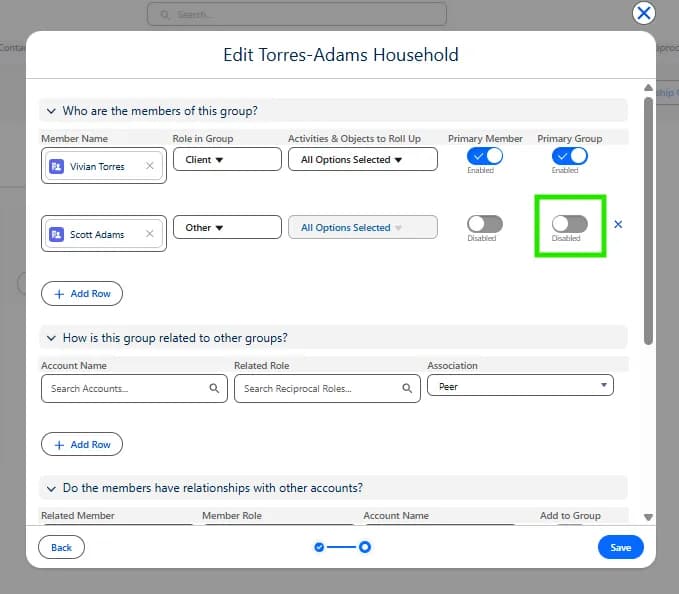
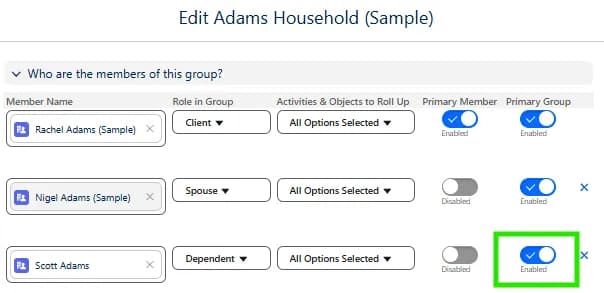
Now let’s make the Adams Household the primary group for Scott Adams using the Relationship Group Editor.
- Click Edit Group next to Adams Household (Sample).