In this blog, you will learn how to configure Contextual Actions for Events and Milestones in Salesforce Financial Services Cloud (FSC), enabling advisors to take quick and meaningful actions directly from client life events or business milestones. When a user hovers over an event or milestone on an Account record, an expanded lookup card appears showing key details from the compact layout. From this hover view, advisors can instantly create related records such as Opportunities, Leads & Referrals, Cases, or even Action Plans, all automatically associated with the selected event or milestone.
By setting up contextual actions, you empower advisors to seamlessly connect client life changes or business updates with relevant products, services, or next steps, making engagement timely, personalized, and efficient. In this blog, you’ll walk through the process of creating a new action, configuring its layout, and adding it to the record page so that agents can access it effortlessly while working with Events and Milestones.
Configure Contextual Actions for Events and Milestones
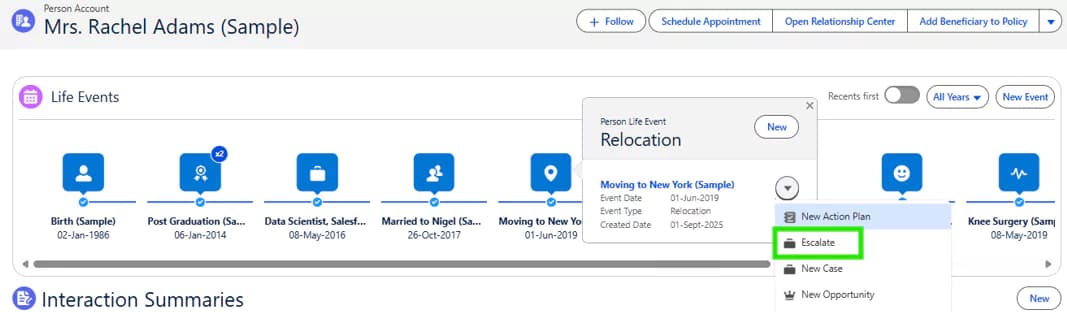
When a user hovers over an Event or Milestone on an Account record, an expanded lookup card appears displaying key fields from the object’s Primary Compact Layout.
From this hover, you can create new Action Plans, Cases, Opportunities, etc. that relate to this Event or Milestone.
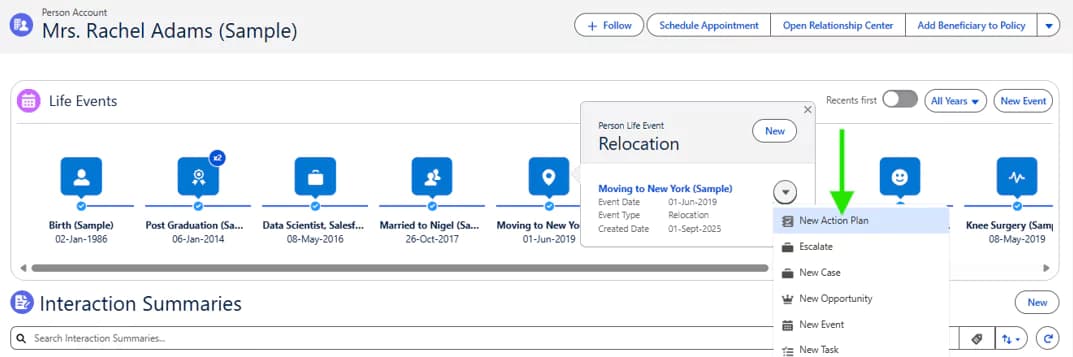
Now the Advisor can then create for example an Opportunity or a new Lead & Referral or a Case for products and services based on that event or milestone.
That record - for example an Opportunity will be automatically associated with the Life Event.
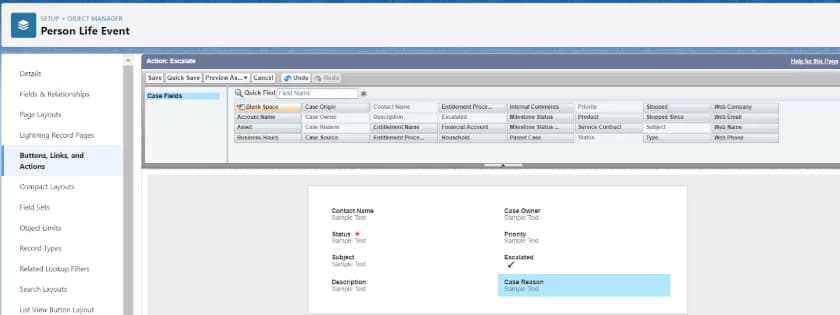
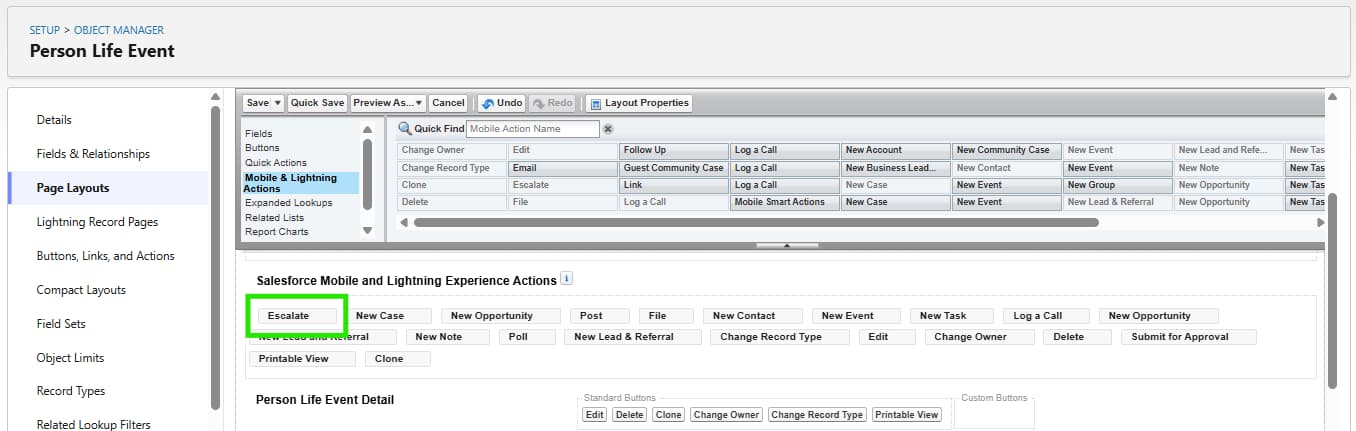
Matt sets about creating relevant actions for life events and business milestones. He adds the actions to the appropriate page layouts so that they appear in the expanded lookup card when agents hover over a life event or business milestone. Here are the steps that Matt takes.
Note: If Action Plans is enabled in your Salesforce org, the New Action Plan action is, by default, available for Life Events and Business Milestones. You can create Action Plan Templates for Person Life Event and Business Milestone objects and then the agent can choose from these templates when creating an Action Plan from an Event or Milestone.
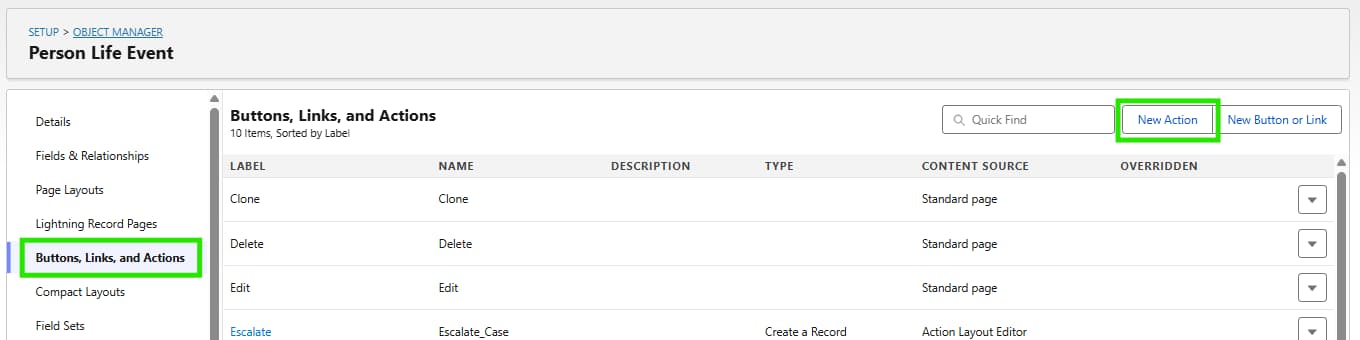
- From Setup, open Object Manager, find Person Life Event.
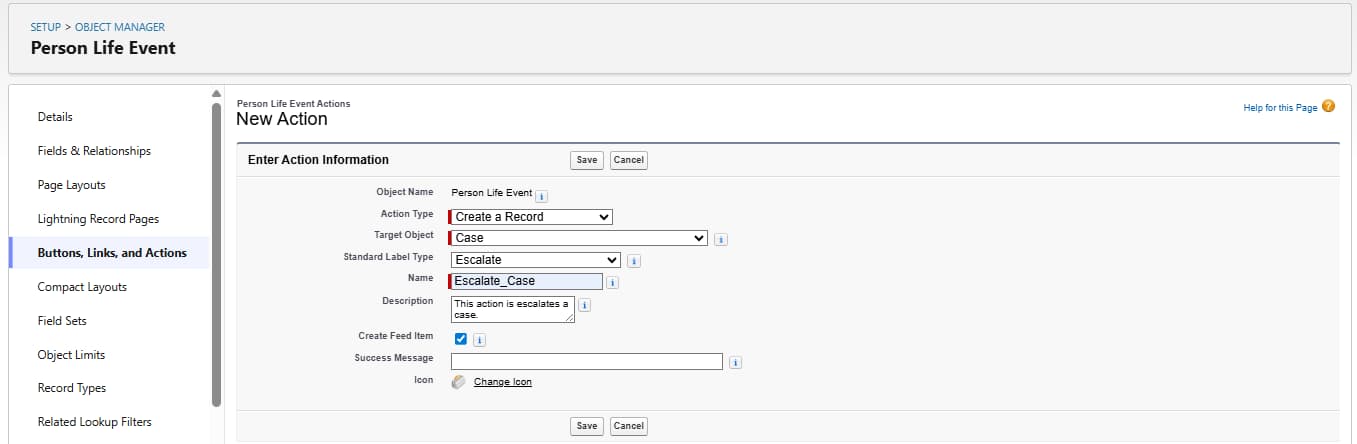
- Click Buttons, Links, and Actions, and then click New Action.
- In the Action Type list, select the type of action that you want to create. Select Create a Record.
- In the Target Object list, select the type of object record this action creates, I selected Case.
- The Standard Label for the action is Escalate. (users see this label as the name of the action).
- For Name enter Escalate_Case and add a Description This Action escalates a case.