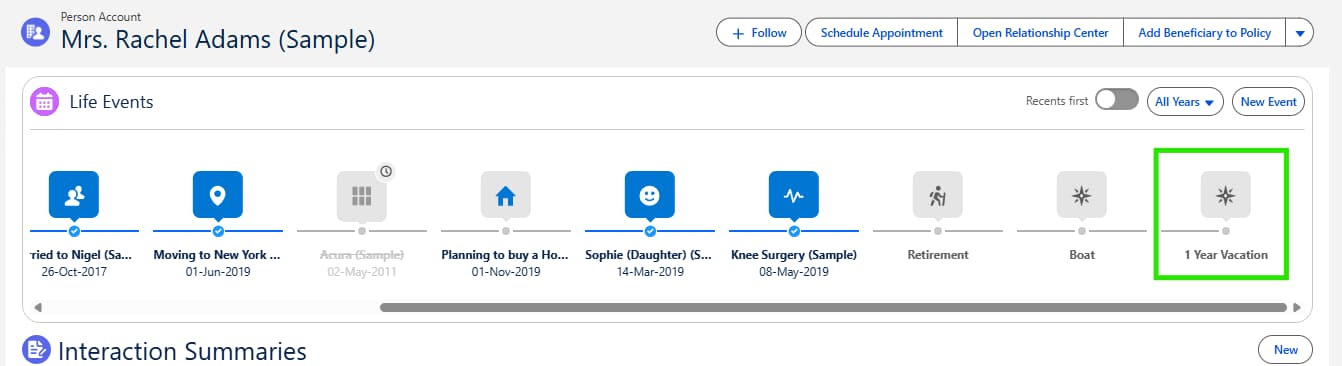
In this blog, you will learn how to add the Events and Milestones component to a Salesforce Financial Services Cloud (FSC) page layout so you can track and visualize important client events directly within Person Accounts. The Events and Milestones feature is designed to give advisors and service professionals a 360-degree view of client life stages, personal achievements, or business milestones, making interactions more relevant and meaningful.
By following simple configuration steps, you will see how to include Person Life Events in the related list and place the Events and Milestones component on the Wealth Management Lightning page. This ensures that client records not only capture financial details but also highlight life moments, such as vacations, career changes, or family milestones, that can help build stronger, personalized relationships.
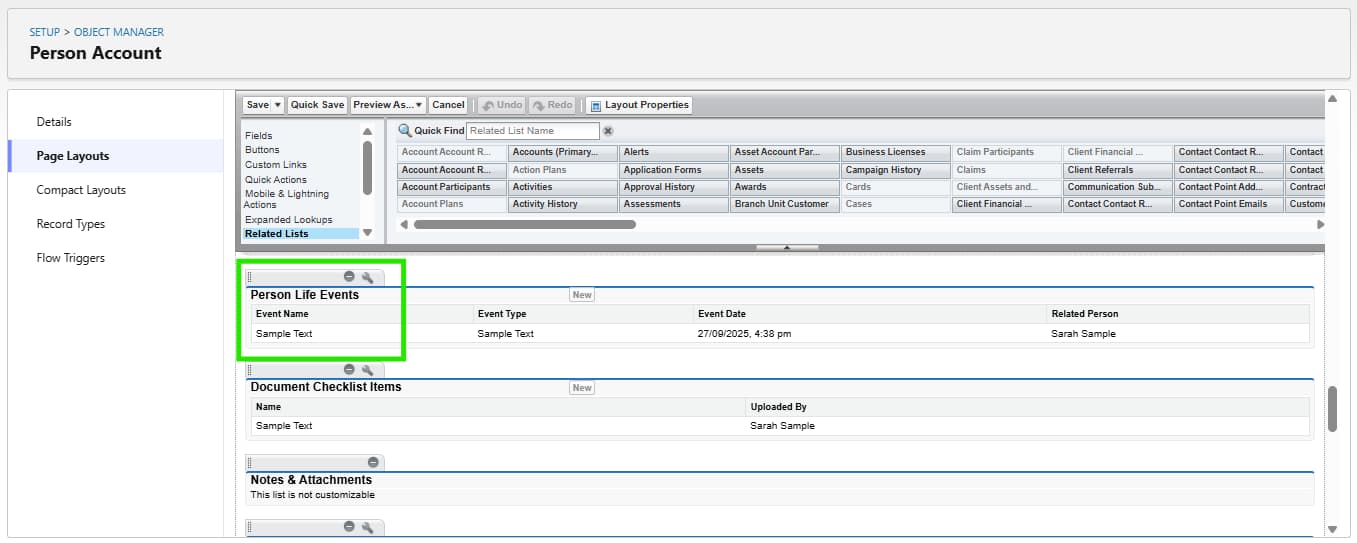
To see the Events and Milestones component, Person Life Events must be added to the related list section on the page layout for Person Accounts. <span style="background-color:yellow;">In our training org this is already configured.</span>
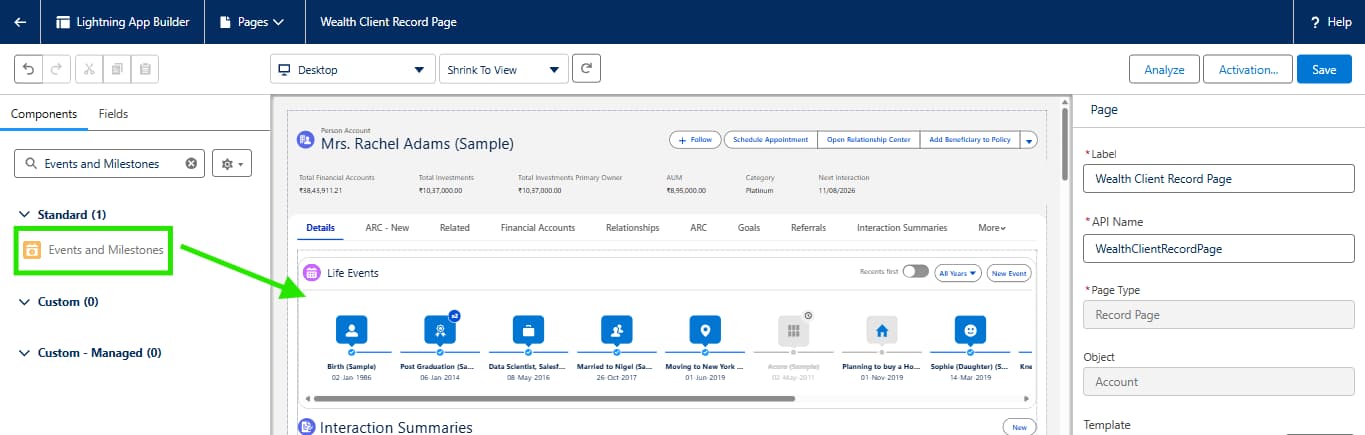
Now lets add the Events & Milestones component to the Wealth Management lightning page.
- Go to App Launcher > Retail Banking Learning Experience App > Rachel Adams Person Account > click Edit Page
- Drag the Events and Milestones component onto the page layout.