In this blog, you will learn how Events and Milestones in Salesforce Financial Services Cloud (FSC) can help advisors and service professionals build deeper, more personalized relationships with their clients. The Events and Milestones Lightning component is designed to capture and display important life and business events, such as a client buying a new home, celebrating the birth of a child, or a company undergoing executive changes, directly on the Account record page.
By tracking these significant moments, Financial Services Cloud empowers users to deliver more meaningful, need-based engagements that go beyond transactions and focus on life-stage awareness. You’ll also see how these events and milestones can be customized, managed, and visualized in FSC, ensuring that client interactions are timely, relevant, and impactful.
Events and Milestones
Events and Milestones is a Lightning Record page component that comes with Financial Services Cloud to provide an overview of a person’s professional or personal milestones (births, home purchases, new job ect., or business milestones (incorporation, executive changes, ect.)).
Financial Services Cloud comes with Events or Milestones Lightning component that can be displayed on the Account record page to create a more personal, need-based customer engagement by capturing and visualizing important events, such as having a baby, changing jobs, or buying a home. It shows Events for a person account record page and Milestones for a business account record page.
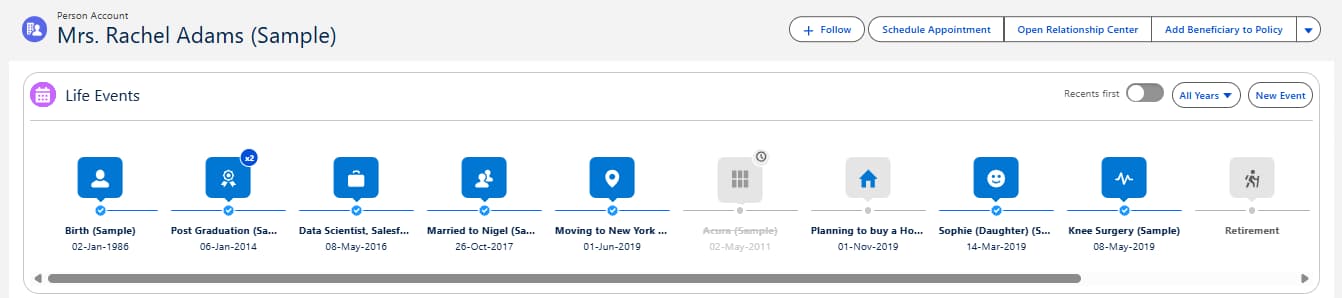
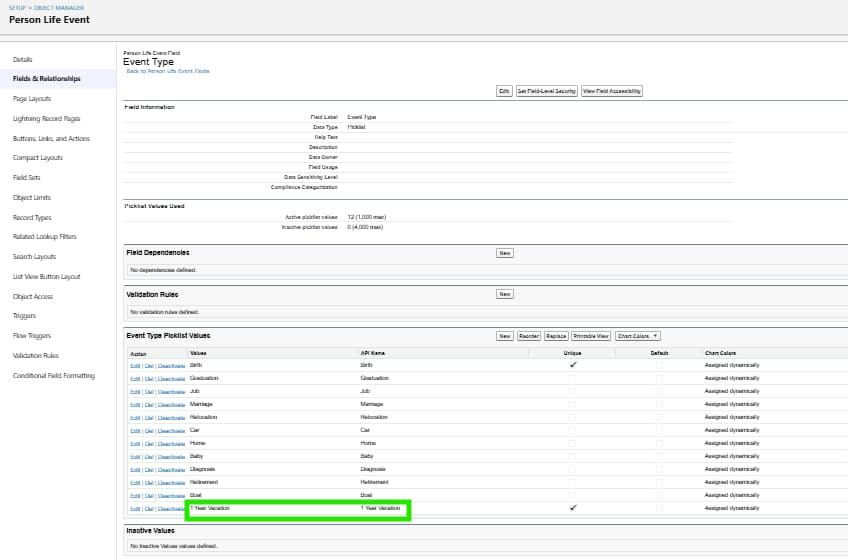
There are a number of Events and Milestones set up out of the box, and additional types can be added to the Milestone Type picklist on Milestones and the Event Type picklist on Person Events. Values can be added, activated, and deactivated from here.
Where a milestone or event is likely to be once in a lifetime or event, select “Unique”. It is even possible to edit the icons that you view for the existing or new event or milestone type.