
In this blog, you’ll learn what the Care Team feature in Salesforce Health Cloud is, why it’s so important for patient care, and how to set it up effectively. The Care Team is a powerful tool that brings together everyone involved in a patient’s health journey, doctors, nurses, specialists, coordinators, and even family members, into one connected view. By using this feature, healthcare organizations can ensure seamless care coordination, making sure the right people have access to the right information at the right time.
We’ll explore why adding care team members matters, how it improves communication, and the steps to set up and manage care plans in Health Cloud. By the end of this guide, you’ll understand not only how to add internal and external members to a care team but also how this functionality plays a critical role in improving patient outcomes and delivering truly connected healthcare.
What is the Care Team in Health Cloud?
- The Care Team is a group of people who look after a patient together.
- It includes doctors, nurses, specialists, coordinators, family members, or anyone involved in the patient’s care.
- Care coordination is all about making sure these people work together smoothly.
Why Add Care Team Members?
- A patient might see different healthcare providers, sometimes outside your organization.
- Adding care team members helps keep everyone informed and coordinated.
- It makes sure the patient gets the best care because all the caretakers can see and update information in one place.
How to Access Care Coordination and Care Plan Settings?
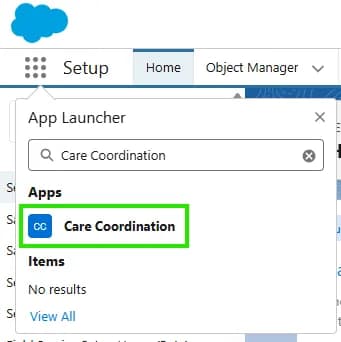
- By default, you might not see the care coordination app in Health Cloud.
- You need to activate the Care Plan setting in Salesforce Setup.
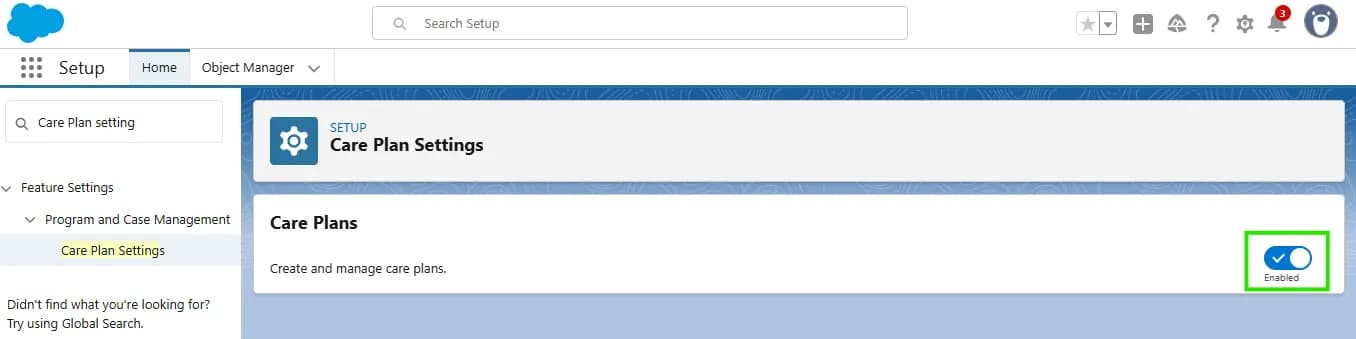
- Once enabled, the Care Coordination app appears and lets you manage care teams easily.
Example: Adding Care Team Members
- Open a patient record (like Mr. Green) from the Care Coordination app.
- Look for the patient’s care plans (e.g., diabetes care plan, post-discharge plan).
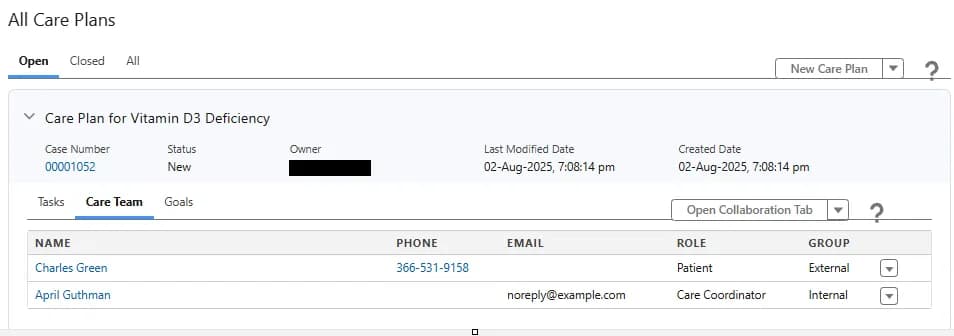
- In the care plan, you see sections like Tasks, Care Team, and Goals.
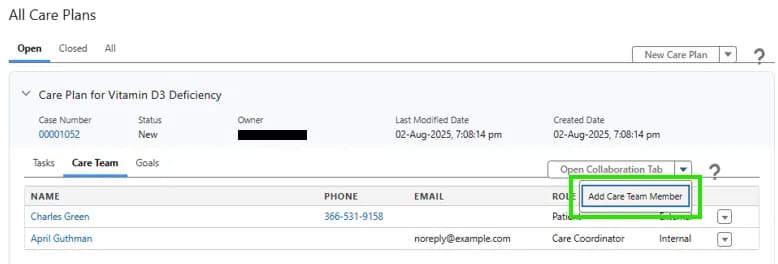
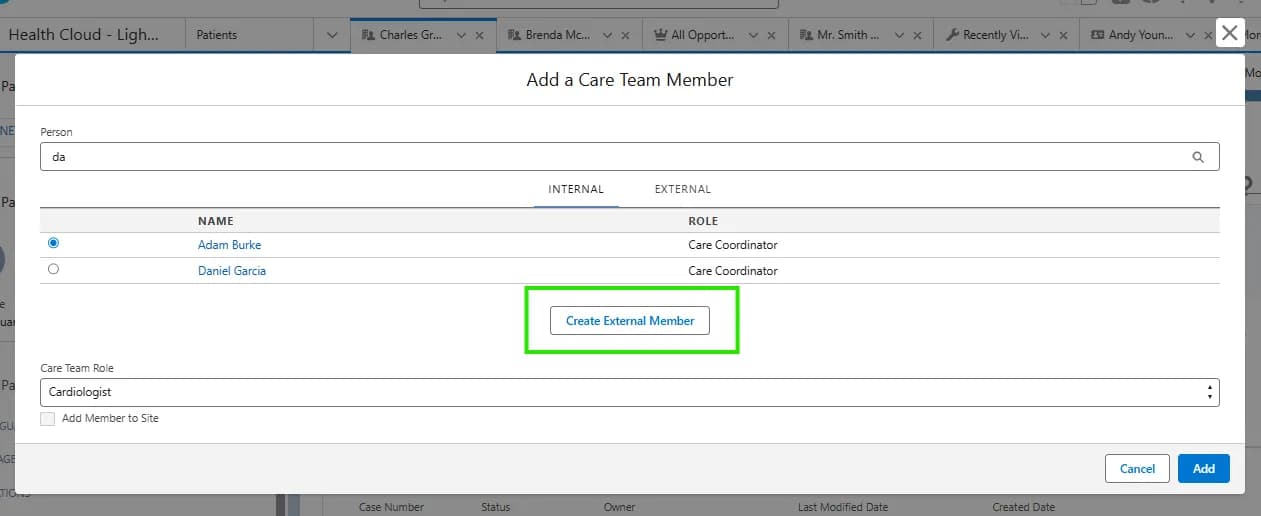
- Go to the Care Team section to add members.